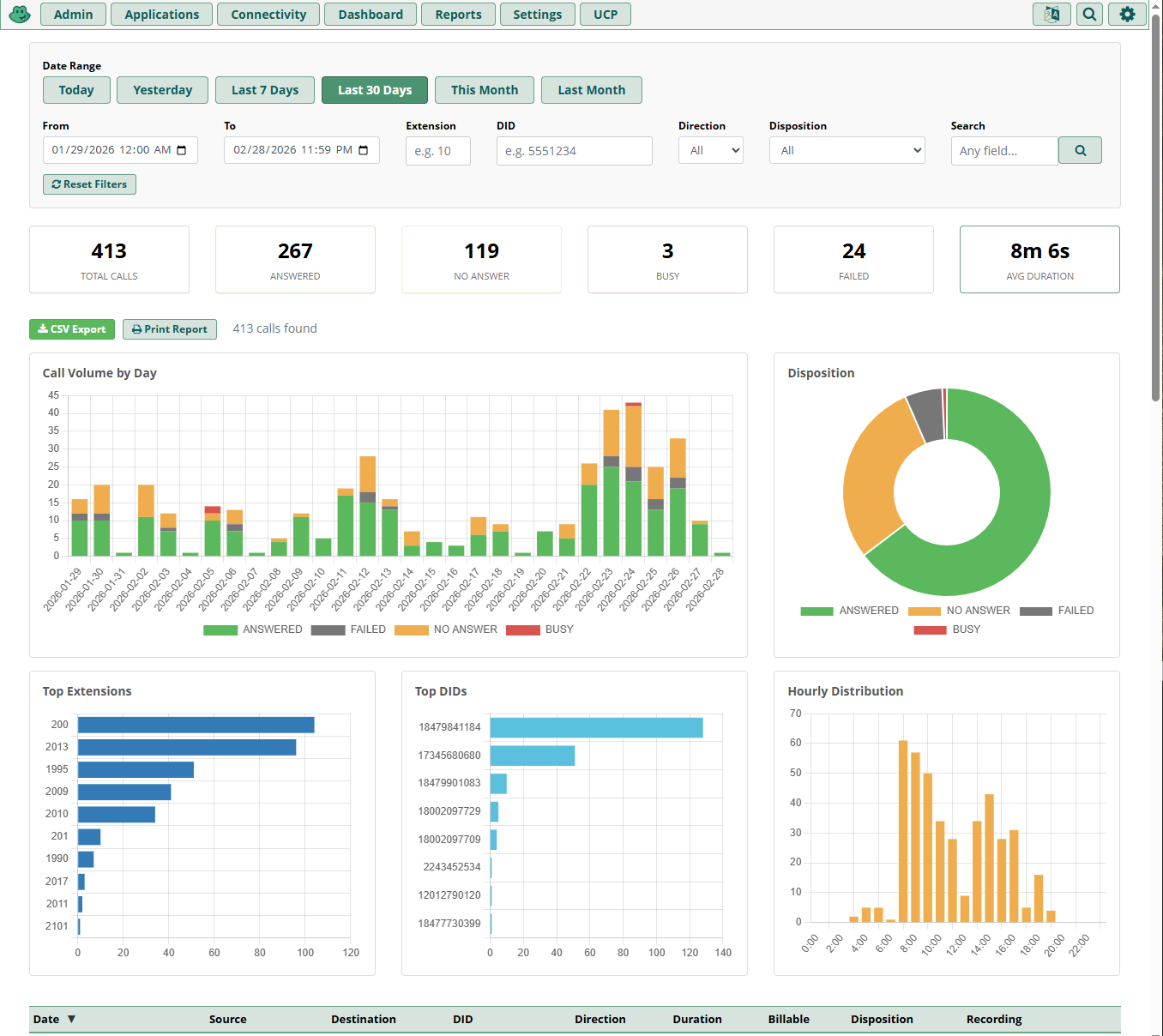
Custom CDR module — filters, statistics panel, interactive charts, and sortable CDR table
A free, open source advanced call detail records module for FreePBX 17. Powerful filtering, interactive charts, sortable data tables, CSV export, and recording playback — no license fees, no subscriptions.
FreePBX ships with a basic CDR viewer that covers simple lookups. For anything more — date range filtering, extension-based search, interactive charts, CSV exports — you typically need expensive commercial add-ons.
This module delivers those features and more as a native FreePBX module. Install it like any other module, and it integrates directly into the FreePBX admin interface. Self-signed on install, and it registers a repository for future updates.
This module is built for and tested on FreePBX 17. It is not compatible with earlier versions. It connects to the standard asteriskcdrdb database and requires no additional dependencies beyond what FreePBX already provides.
Narrow down call records with precise, flexible filters.
Real-time metrics and five interactive Chart.js visualizations that update dynamically as filters change.
Total Calls • Answered • No Answer • Busy • Failed • Avg Duration
All metrics update in real time as you change filters.
Stacked bar chart showing daily call volume broken down by disposition.
Doughnut chart showing the proportion of answered, no answer, busy, and failed calls.
Horizontal bar chart ranking the busiest extensions (combines source and destination).
Horizontal bar chart ranking the most active DIDs.
Bar chart showing call volume across all 24 hours of the day.
Sortable, paginated call detail records with color-coded badges and recording playback.
| Date | Call timestamp |
| Source | Originating extension or number |
| Destination | Called number |
| DID | Inbound DID |
| Direction | Inbound, Outbound, or Internal |
| Duration | Total call duration |
| Billable | Billable duration |
| Disposition | Answered, No Answer, Busy, Failed |
| Recording | Playback button when recording exists |
Download all filtered rows (up to 100,000 records) as a CSV file. Filename includes a timestamp for easy organization.
Print-optimized CSS hides navigation, filters, and pagination while keeping statistics, charts, and the data table intact.
Automatically determines call direction by analyzing dcontext patterns:
from-trunk / from-did → Inboundfrom-internal + short destination → Internalfrom-internal + long destination → OutboundConnects to the asteriskcdrdb database via PDO with a fallback chain:
Manual upload to FreePBX 17. The module self-signs on install and registers a repo for future updates.
In the FreePBX admin panel, go to Admin → Module Admin. Click Upload modules to upload the downloaded .tar.gz file manually. Alternatively, use the command line:
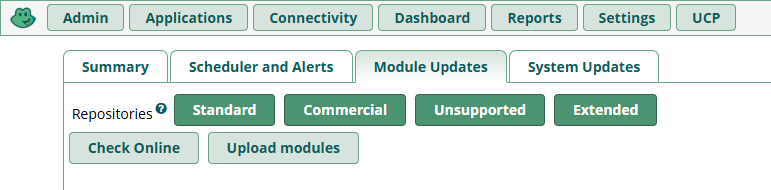
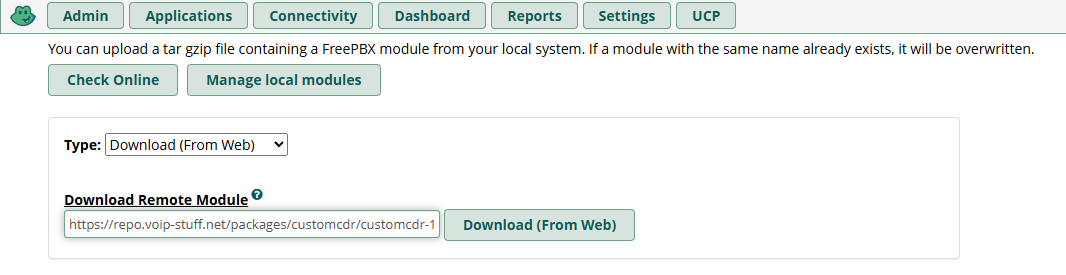
You can also use the Download (From Web) option in Module Admin to pull the module directly from the VoIP Stuff repository without downloading it first.
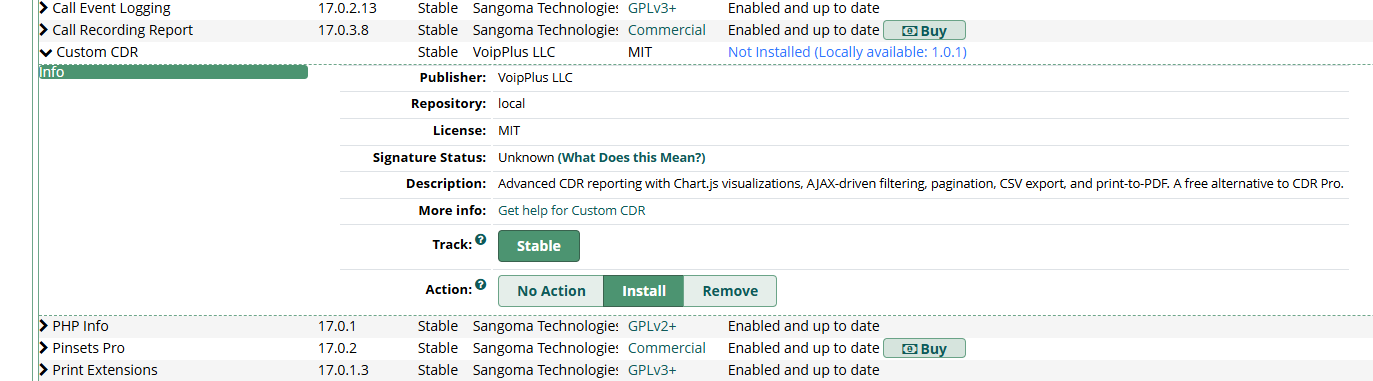
Once uploaded, find Custom CDR in the module list, select Install, and submit. The module self-signs on install and registers a repository address for receiving future updates directly through FreePBX Module Admin.
Once installed, the Custom CDR module appears in the FreePBX Reports menu. Open it to start filtering, charting, and exporting your call records.
Minimal configuration stored in the customcdr_config table.
| Setting | Description |
|---|---|
page_size | Rows per page (default 50, range 10–200) |
default_range | Default date range in days |
Released under the MIT License. Use it, modify it, deploy it — no restrictions, no license fees.
Download v1.0.1